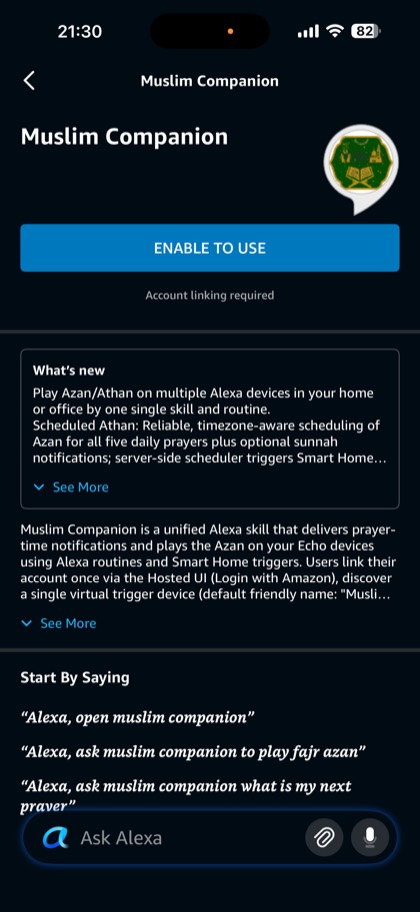
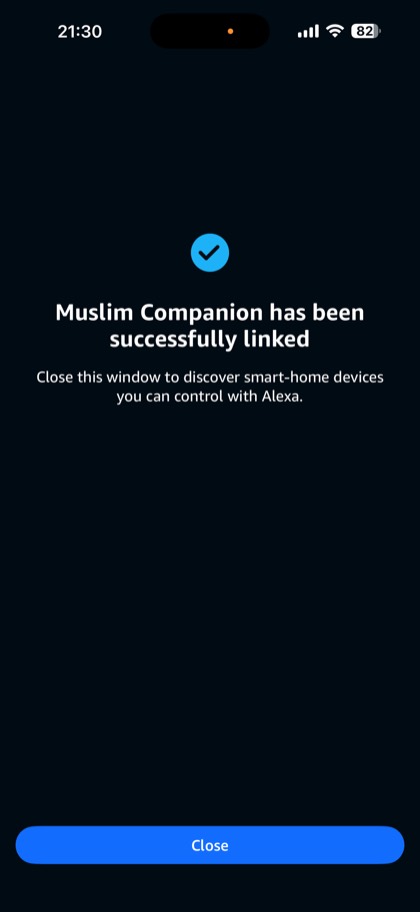
1. Enable the skill and link your account
Open the Alexa app, search for Muslim Companion under Skills & Games, and tap Enable to Use. Sign in with Amazon when asked. Use the Amazon account that your Echo devices are registered to.
2. Sign in to the dashboard
On your phone or computer, go to alexa.imuslimlife.com and tap Continue with Amazon. Use the same Amazon account as in step 1, so the dashboard and your Echo are connected.
3. Choose your settings
Confirm your location first: prayer times are calculated for it every day. Then choose:
- Calculation method, such as ISNA, Muslim World League, Umm al-Qura or Karachi
- Asr time: Hanafi (later Asr) or standard
- Fajr Athan and the Athan voice for the other prayers
- After the Athan: Duas, a surah, or continuous Quran
Press Save. You can come back and change any of these later.
4. Create the Athan routine
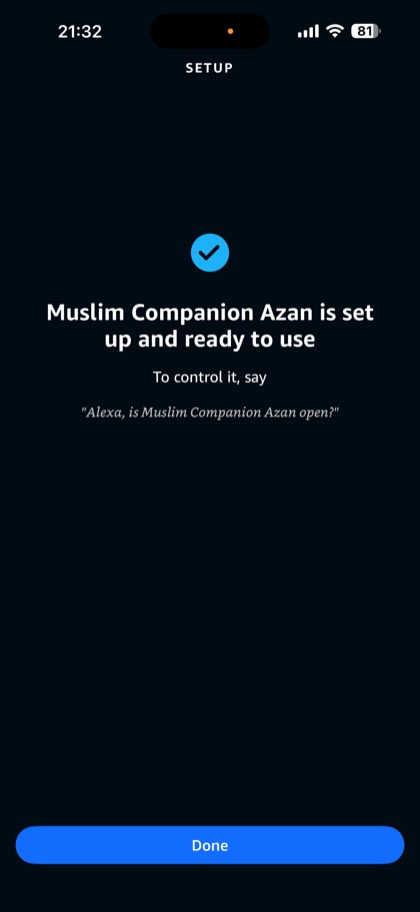
Say “Alexa, discover devices”. A sensor called Muslim Companion Azan appears in the Alexa app. The skill opens it at each prayer time, and your routine plays the Athan.
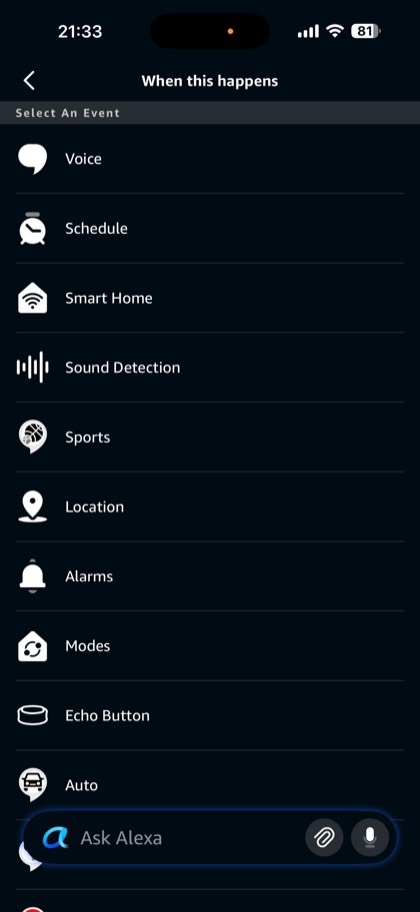
- In the Alexa app, open More → Routines → +.
- Under When this happens, choose Smart Home → Muslim Companion Azan → Open.
- Under Alexa will, choose Add an action → Customized and type open Muslim Companion.
- Under Hear Alexa from, pick the Echo that should play the Athan.
- Tap Save, and check the routine is switched on.
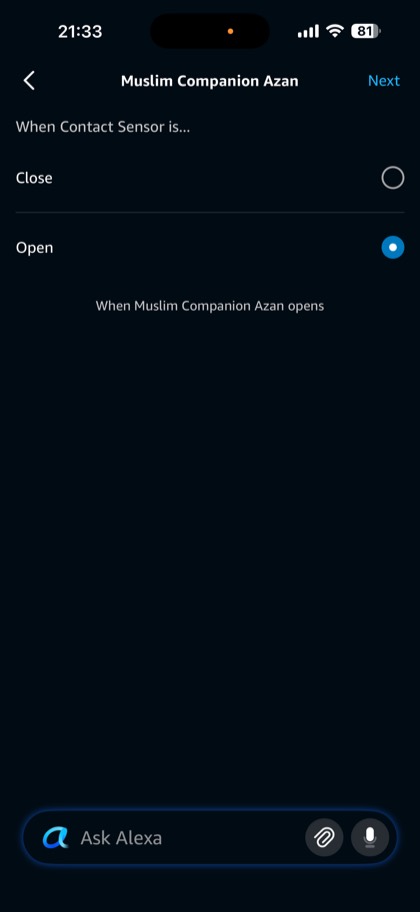
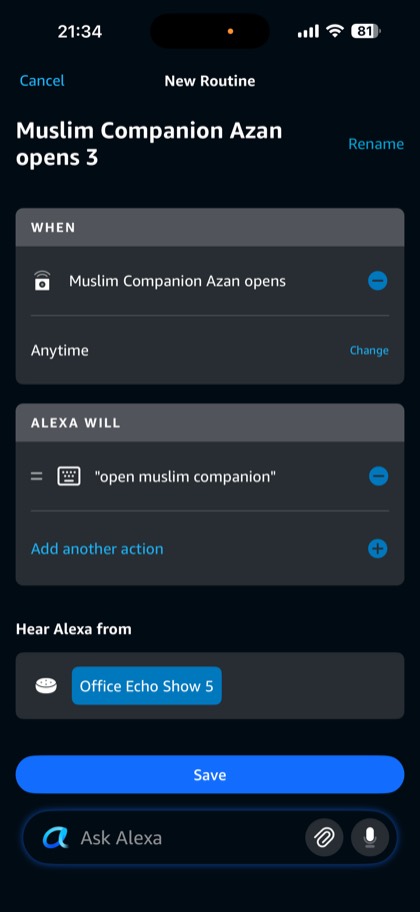
The trigger must be the sensor opening. If you pick a switch with a similar name, the routine never fires. More in the routine guide.
5. Test it
On the dashboard, open Status and tap Test routine now. It sends the same signal your routine waits for, so you should hear the Athan on your Echo within a few seconds. The Status page also shows when your Echo last checked in and your next Athan.
Nothing plays? See Athan not playing on Alexa.
Questions
How long does setup take?
About five minutes: enabling the skill, choosing your settings on the dashboard, and creating one Alexa routine.
Why do I need an Alexa routine?
Alexa skills can't start playing on their own. The routine is what lets Muslim Companion play the Athan at prayer times without you asking.
Can I test the routine from the Alexa app?
Not directly: the Muslim Companion Azan sensor can't be opened by voice or by tapping it. Use Test routine now on the dashboard's Status page instead.
Get the Athan on your Echo today
Enable the skill, then choose your settings on the dashboard. It takes about five minutes.